


WeatherNews: Local & Breaking
4.472.00 Reviews
App Specs
- Version
- 1.6.0
- Updated On
- License
- Free
- Downloads
- 500,000+
- Developer
- NEWSDELIVER LIMITED
- Categories
- News & Magazines
- Platform
- Android
Screenshots
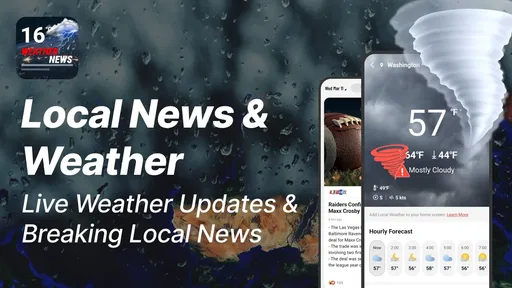
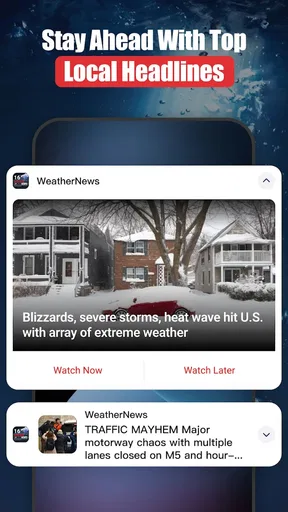
 Analysis by AppCompare
I judge a weather app less by how much information it can put on screen than by whether it helps me make a better decision before I leave home. WeatherNews: Local & Breaking aims to combine everyday forecasts with news, so the appeal is not just checking a temperature but getting a sense of what may affect the day. That makes it an interesting choice for people who like their weather and local updates together, though it is not automatically the best fit for everyone.
Where the combined approach helps
A forecast is most useful when it answers a practical question: should I take a coat, shift a walk, or leave extra time for a change in conditions? WeatherNews brings live weather information, hourly and daily forecasts, and news into one place. I find that combination more useful than a screen that gives me a number without much context, especially when I want to check the outlook and then see whether a local story changes what I should pay attention to.
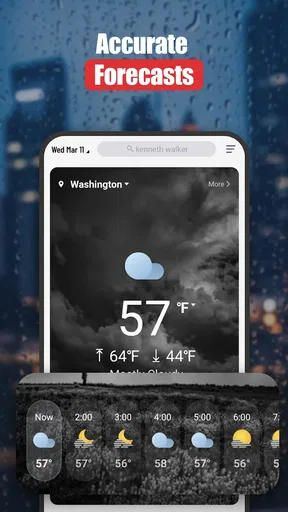
The hourly view is the one I would reach for before making plans that depend on timing. A daily summary can make a day look straightforward even when the conditions may vary, while an hour-by-hour check gives me a reason to think about when to head out or whether to bring an extra layer. It is not a substitute for judgment, but it can make a quick morning decision more informed.
A more useful check than a single glance
For a normal commute, I would use the app in two passes: first check the current conditions, then look ahead to the hours when I expect to be outside. That small habit is more practical than repeatedly opening a forecast without a plan. If the day looks unsettled, the news side gives the weather check a broader local context rather than leaving it as an isolated forecast.
That approach also helps with errands. If I have a flexible trip to make, I can compare the day’s outlook with the time I expect to leave and decide whether it is worth going earlier or later. People who work outdoors, walk or cycle regularly, or have to plan around school runs may get more value from those repeated short checks than someone who only wants to know whether it is warm.
How it fits among weather apps
Compared with a basic weather app, which is usually designed to answer “what is it like now?”, WeatherNews has a broader job: it brings news into the same experience as forecasts. That can save a switch between apps if I want both kinds of information. On the other hand, if I only need a fast temperature check, a simpler weather screen may feel more direct. And if my priority is in-depth reporting rather than planning around conditions, a dedicated news app is likely the better tool.
The useful trade-off is convenience versus focus. Having weather and news together can help me connect a forecast with what is happening locally, but it also means the app serves more than one purpose. I would treat the forecast as the main reason to open it and use the news as added context, rather than expecting either side to replace a specialist service.
Worth Reading Before You Choose

Flipboard Shows What News Apps Must Do Beyond the Feed

Switching to Android Auto Means Rethinking Your Driving Routine

Google Calendar Makes a Crowded Week Easier to Manage

Ludo King Makes the Most of the Minutes Between Plans

Baby Panda World Brings Quick Play to Modern Phones, but Its Game Library Feels Busy

ESPN’s Live Game View Makes Following Close Games Easier
Who is likely to get the most from it
I would recommend WeatherNews to someone who checks the weather most days and likes having local and world news close at hand. It is particularly suited to people whose plans change with the conditions: commuters, parents arranging outdoor activities, travelers checking a destination before setting off, and anyone who wants to make a quick forecast check part of a daily routine.
Travel planning is a good example of where a little preparation matters. Before a journey, I would check the destination’s outlook as well as the weather where I am leaving from, then revisit the forecast closer to departure. Conditions can change, so one early check should not be treated as a guarantee for the whole trip. The app is useful as a planning aid, not as a promise that the weather will behave exactly as expected.
It is less compelling if you want only a minimal forecast, rarely read news, or rely on specialized meteorological detail. In those cases, a focused forecast app or a dedicated news reader may suit you better. I would also avoid using any single consumer weather app as the sole basis for a safety-critical decision; for dangerous conditions, check official local guidance as well.
Small habits that make the forecasts easier to use
One practical tip is to compare the time you care about with the daily overview instead of stopping at the first screen. For a morning walk, for instance, the conditions at the time you leave matter more than the afternoon summary. For an outdoor event, check again nearer the event rather than assuming an earlier forecast will hold. Those habits do not require special features, but they make the information the app provides more actionable.
I would also keep the question specific each time I open the app. “Can I walk to the shop now?” and “What should I expect later?” are easier to answer than a vague check of the whole forecast. This is especially useful when news and weather share the same app: deciding what I need first helps me avoid getting sidetracked when I only have a moment.
Another sensible trade-off is not to overreact to every change in a forecast. Weather outlooks are guidance, and the farther ahead I am planning, the more cautious I am about treating details as settled. I use the daily view to shape a plan, then the hourly view to refine its timing. For trips or outdoor commitments, I leave room for a backup rather than assuming the forecast will remove all uncertainty.
What to expect before making it a daily app
WeatherNews is free to download, with optional in-app purchases listed from $1.99 to $39.99 per item. I would start with the free experience and decide whether any paid option is useful only after using the app for the way I actually plan my days. A purchase makes most sense when it addresses a need I have noticed in practice, not simply because the app offers one.
The app is developed by NEWSDELIVER LIMITED and sits in the news and magazines category, which reflects its mix of forecast checking and news consumption. It has an average rating of 4.3 from around 274 ratings, with over 100K installs. Those figures suggest that it has found an audience, but they do not tell me whether its balance of weather and news matches my own preferences; a short trial is the better test.
It is rated for Everyone, and the current version is 1.3.0. The stated minimum operating system is version 8.0, so I would check that my device meets the requirement before trying to install it. These basics matter most when recommending an app to a family member or setting it up on an older phone: the age rating is broad, but each person’s device compatibility and appetite for news are still individual considerations.
One question I would settle early is whether the news content feels relevant enough to keep alongside the forecast. If I mainly want weather, I can judge the app by how quickly I can reach the outlook I need; if I want both, I can see whether the combined routine saves effort. Another is how often I need to check forecasts: occasional users may not benefit much from a richer daily habit, while regular commuters or outdoor planners have more opportunities to put it to use.
Everyday use, strengths, and limits
If you've ever been caught in a sudden downpour without an umbrella, you know how crucial a trusty weather app can be. Enter WeatherNews: Local & Breaking, an app that's quickly become my go-to for all things weather-related. Let’s dive into what makes this app stand out in the crowded world of weather forecasts.
Features That Shine
One of the first things you'll notice when you open WeatherNews is its sleek and user-friendly interface. The home screen provides a quick snapshot of the current weather, but the real magic happens when you start exploring its features.
Real-time Updates: This app doesn’t just give you a generic forecast. It offers real-time updates and breaking weather news, which is perfect for those who need to stay informed about sudden changes.
Detailed Forecasts: You can access hourly, daily, and even weekly forecasts. Whether you're planning a weekend getaway or just your daily commute, this app has you covered.
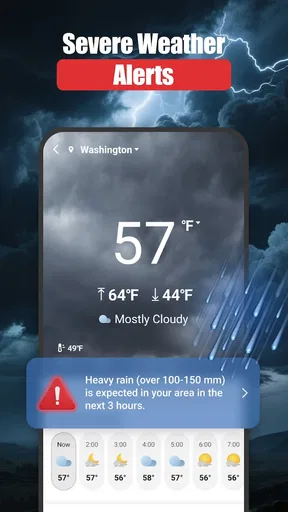
Severe Weather Alerts: Receiving timely alerts about severe weather can make all the difference. The app sends notifications for thunderstorms, hurricanes, and other severe conditions, ensuring you're never caught off guard.
Local and Global Reach
What sets this app apart is its ability to provide both local and global weather updates. Planning a trip overseas? No problem. WeatherNews lets you check the weather in any city around the world. Plus, the local updates are incredibly accurate, often more so than some other apps I've tried.
Customization Options
Another aspect I love about this app is the level of customization it offers. You can tailor notifications to suit your needs, such as setting alerts for specific weather conditions. The app also allows you to personalize the home screen with widgets that display the information you find most useful.
And let’s not forget about the radar maps. The interactive radar is a fantastic tool for visual learners, offering an easy-to-understand representation of weather patterns and movements.
Community and User Interaction
One of the most unique features is the community aspect. Users can report weather conditions in their area, providing a crowd-sourced layer of accuracy and detail. This makes the app feel more interactive and keeps the information fresh and reliable.
Performance and Usability
Now, no app is perfect, but WeatherNews comes pretty close. During my time using it, I've found the app to be extremely responsive with minimal lag. It's available on both Android and iOS, and performance is consistent across platforms.
The only hiccup I’ve experienced is occasional delays in loading radar maps, especially when zooming in on specific areas. However, these are rare and usually resolve quickly.
Final Thoughts
In a nutshell, WeatherNews is a powerhouse of weather information, wrapped up in a user-friendly and customizable package. Whether you're a weather enthusiast or just someone who likes to be prepared, this app is worth a download. Its combination of real-time updates, detailed forecasts, and community interaction makes it a standout choice.
So, next time you're planning your day or your next big adventure, give WeatherNews a try. Trust me, you won’t be disappointed.
Pros
- Accurate real-time weather updates.
- Customizable weather alerts.
- User-friendly interface.
- Detailed radar maps available.
- Minimal battery consumption.
Cons
- Ads can be intrusive at times.
- Limited features in free version.
- Occasional loading delays.
- Some features require internet.
- No widget support for quick view.
FAQs for WeatherNews: Local & Breaking
What features does WeatherNews: Local & Breaking offer?
WeatherNews: Local & Breaking provides real-time weather updates, detailed forecasts, and breaking weather alerts. It includes radar maps, severe weather warnings, and customizable notifications. Users can also access hourly, daily, and weekly forecasts, making it a comprehensive tool for staying informed about local weather conditions.
Is WeatherNews: Local & Breaking available for both Android and iOS?
Yes, WeatherNews: Local & Breaking is available for download on both Android and iOS platforms. You can find it on the Google Play Store for Android devices and the Apple App Store for iOS devices, ensuring compatibility with a wide range of smartphones and tablets.
Does WeatherNews: Local & Breaking require a subscription or in-app purchases?
WeatherNews: Local & Breaking is free to download and use, but it may offer optional in-app purchases or subscriptions for premium features. These might include ad-free experiences, advanced radar data, or enhanced alert systems. Users can choose to upgrade for additional benefits if desired.
How accurate is the weather information provided by WeatherNews: Local & Breaking?
The app leverages data from reputable meteorological sources to provide accurate and timely weather information. It uses advanced algorithms and radar technology to ensure precision in forecasts and alerts. However, like all weather apps, occasional discrepancies may occur due to rapidly changing conditions.
Can I customize notifications in WeatherNews: Local & Breaking?
Yes, WeatherNews: Local & Breaking allows users to customize notifications based on their preferences. You can set alerts for specific weather conditions, such as rain or severe weather, and choose the notification frequency. This customization ensures that you receive only the most relevant updates for your needs.


